
This document provides instructions on how to change the configuration settings for the Preemptive AI for Verse extension when running in Firefox. It assumes that the extension is already installed. You may need to do this if the host or URL for your AI-Proxy database changes.
- Start Firefox.
- Click on the jigsaw icon in the top right and then Manage Extensions
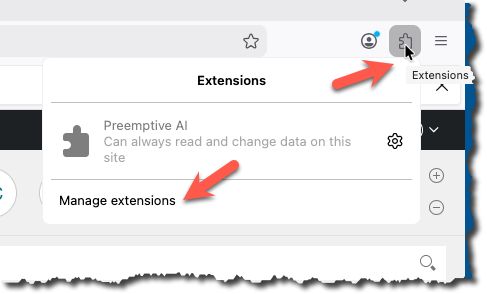
- Click on the three dots next to the activation switch, and select Preferences

- The preference dialogue should now appear
- Change the settings and press Save Settings
- That completes the process